Authentication methods
ADITO has a central management point to configure authentication methods: the "login list".
You can find a property named "loginList" in the instance configuration: In the Navigator window, choose System > Client > Login > loginList. Clicking on the three dotted button opens the login list. You can add a login entry via the plus ("+") button. Example:
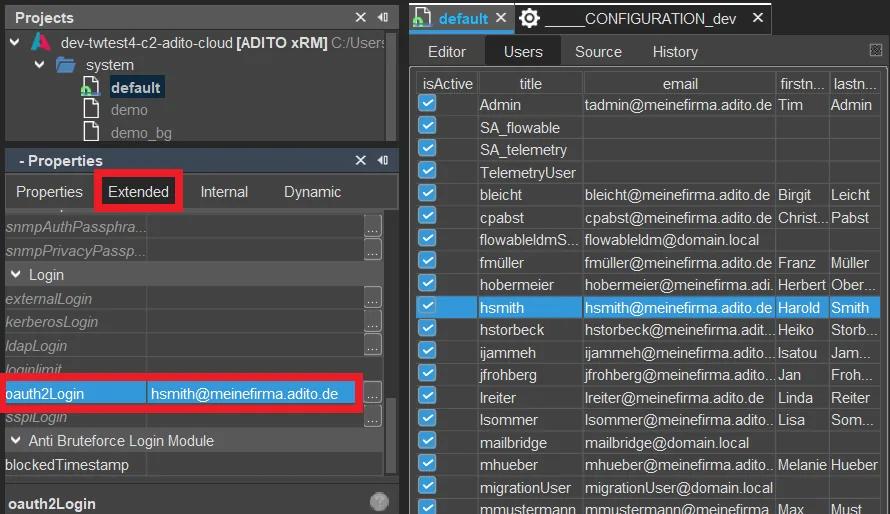
The main columns to set for a login are
- Type: This is the authentication method.
- Name: Choose a suitable name that fits to the type, e.g., "internal.oauth2_token".
- Properties: Each type has different properties that have to be filled/configured via a table with "Key" and "Value". (see example in screenshot above)
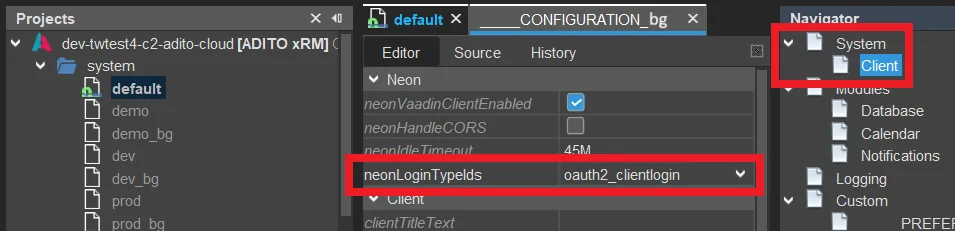
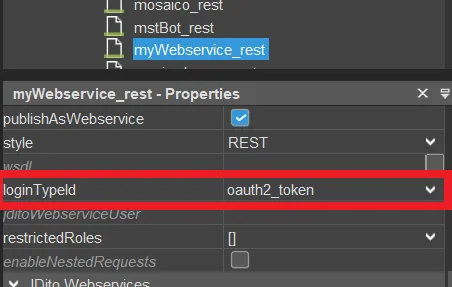
This given name needs then to be set
-
for web client login: in property "neonLoginTypeIds" (in the instance configuration, under System > Client > Neon), e.g.:
-
for web services: in the web service process' property "loginTypeId", e.g.:
The following sub-chapters cover the available login types and the corresponding properties that need to be set.
Default
The "default" authentication method is often used when a new project is set up. It does not need any extra configuration. The data is saved in the ASYS_USERS database which normally is in the "_____SYSTEMALIAS". It uses the basic authentication via username and password and is therefore often referred to as "Basic Auth". For web services, the header needs to include username and password, as well as the header "authMethod" set to "Basic".
The following logic applies: If property "neonLoginTypeIds" is set to "internal.default" and
-
property loginList is empty, then the "default" authentication method is automatically being used.
-
property loginList includes multiple entries, then the first entry is automatically being used - i.e., if the first entry has type "default", then the logic is the same as if loginList was empty.
Usertoken
If you want to have a temporary login in your ADITO Web Client - e.g., for a survey -, you can use the user token login method. You can decide whether you want a one time only usage or multiple usages and if you want to be remembered when you don’t log out of your account. The link for the login has the following format:
<yourADITOServerAddress> .com/login?tokenId= <YourTokenID>
This token is meant for (one-time) login, not for productive use.
A usertoken is an id (e.g., a UID) that is used for authentication of a person or a system. For the client login, you need a user name in addition to the token, while for web services, the token alone is enough. (See the Information)
You can generate and configure usertokens via the tab "User tokens" within the "Employee" Context of the web client (to be found in menu group "User Administration"):
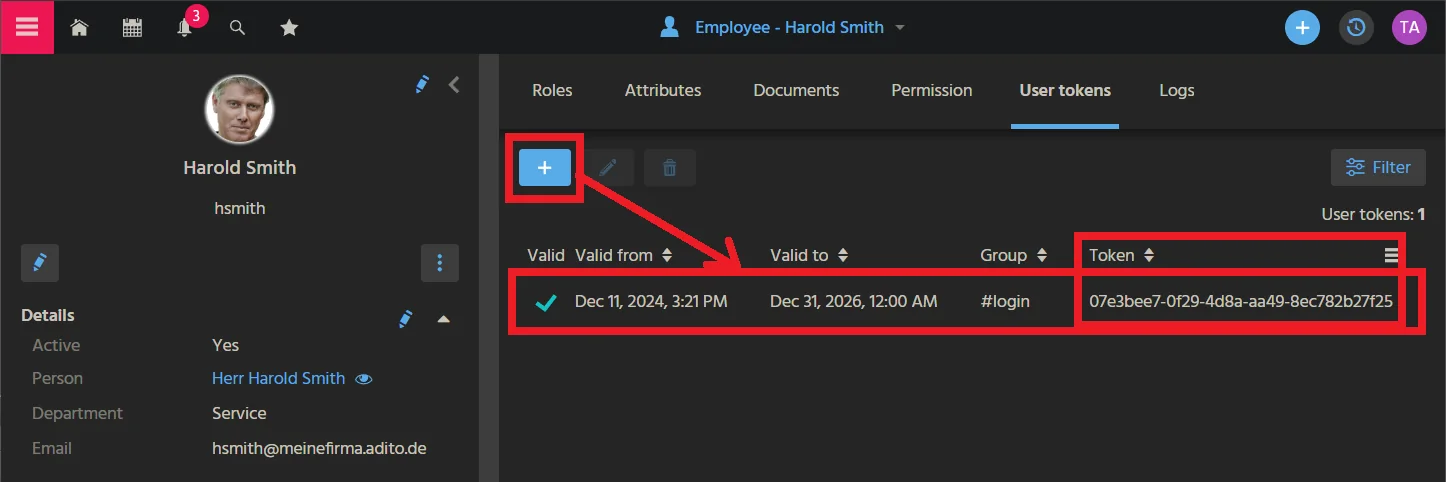
The usertoken’s tokenId is generated automatically and made available
in column "Token". Besides, for security reasons, you can optionally set
an expiration date or set the usertoken invalid manually.
Alternatively, you can generate and modify usertokens via JDito:
    tools.addUserToken(...)
    tools.updateUserToken(...)
    tools.(...) // further methods available
Usertokens are stored in the system table ASYS_USERTOKEN.
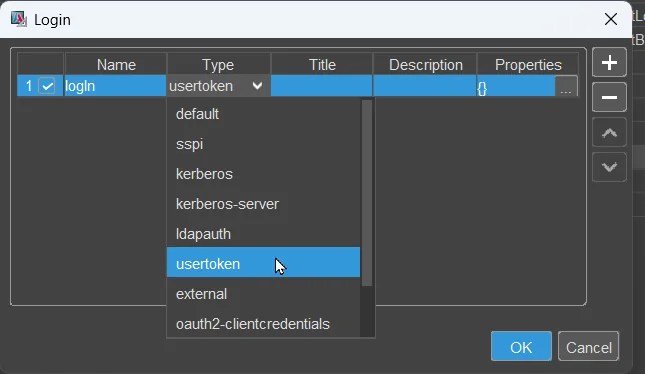
In the loginList you need to select type "usertoken":
Kerberos Server
Kerberos is an authentication service that provides a ticket for a successful login with your domain account. This token will be used to login in ADITO as well. The login type "kerberos-server" requires the following properties to be set:
| Key | Value |
|---|---|
| krb5 kdc | IP / Hostname of the domain controller, e.g., customer.com |
| krb5 realm | Domain of the user (in uppercase!), e.g., DOMAINCONTROLLER.HOST.CUSTOMER.COM |
| config | Additional information required for the Kerberos Server, e.g., default_tkt_enctypes, default_tgs_enctypes, permitted_enctypes with the value aes256-cts-hmac-sha1-96 aes128-cts-hmac-sha1-96 rc4-hmac. |
| login module | ADITO |
LDAP Auth
This authentication method should be treated as deprecated.
LDAP Auth (login type "ldapauth") is used in combination with the LDAP Plugin (see the ADITO Information Document AID097 LDAP) in order to re-use the Windows login credentials also for the ADITO login.
The following property settings are required:
| Key | Value |
|---|---|
| ldap provider | IP / Hostname of the LDAP controller |
| auth method | Authentication method you want to use (e.g., simple) |
| user key | LDAP key that is used to identify the user |
| dn base | Directory of your user in your LDAP |
External
External is used universally for various external authentication applications/servers. The property settings are:
| Key | Value |
|---|---|
| user template | Create a custom user template for authentication |
| auth header | Create a custom auth header |
Other Methods
These methods are not described in detail because they are not supported in the newer versions and mostly used for legacy systems.
-
Security Support Provider Interface (SSPI)
-
Kerberos
This list will possibly be continued depending on the supported versions.