August 2026

With August 2026, the ADITO Web Client becomes more responsive, accessible, and easier to navigate. Modernized view handling delivers a smoother and more responsive user experience while providing a new technical foundation for future UI enhancements.
The new integrated search in the Global Menu helps users quickly find contexts, making navigation through large applications faster and more intuitive.
Web Client: Modernized View Handling
2026.1.1 coreThe view handling of the ADITO Web Client has been fundamentally modernized, providing a new technical foundation. Users benefit from smoother interactions, improved responsiveness across different screen sizes, and better accessibility throughout the application.
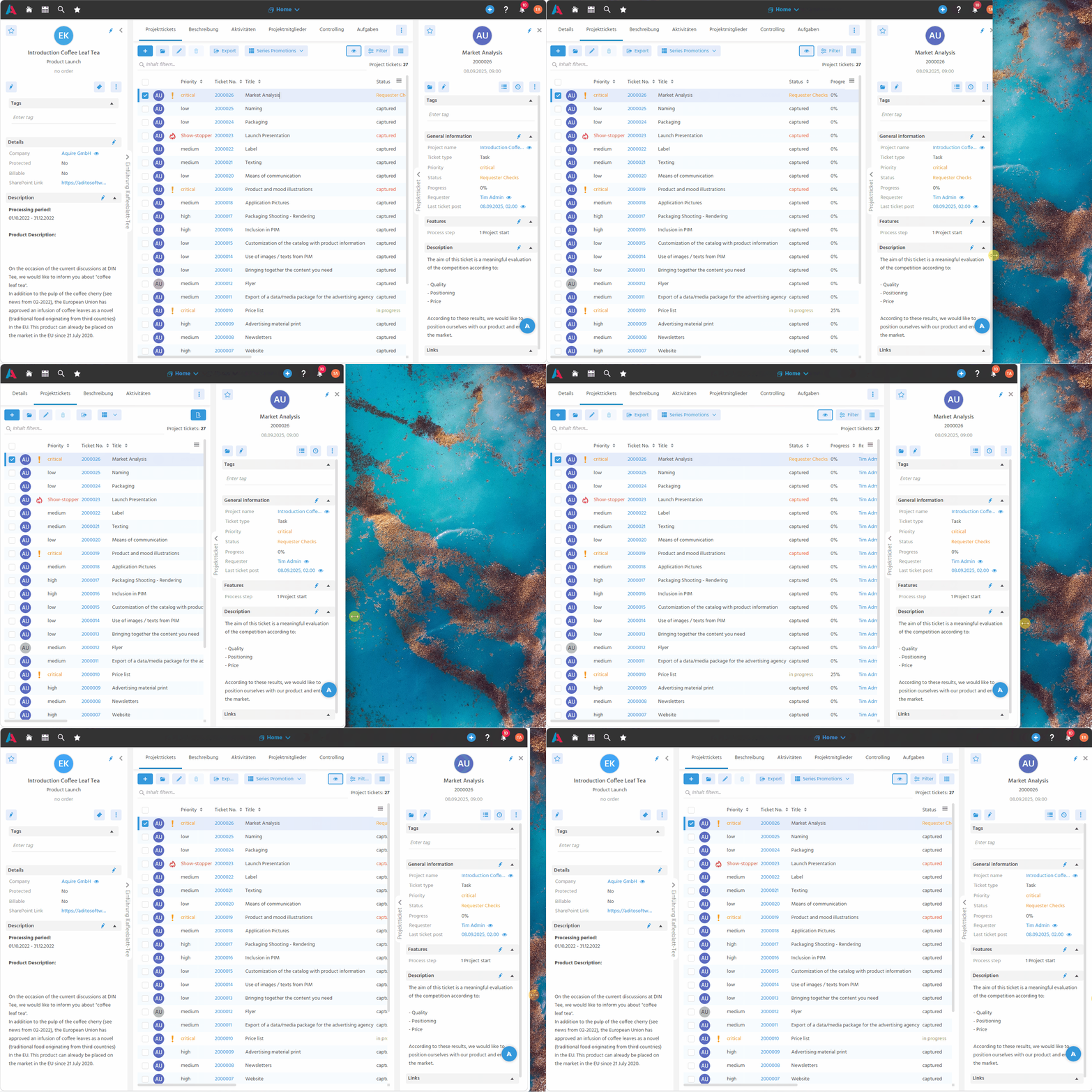 Figure: Layouts automatically adapt to different screen sizes.
-
Responsive Views
Views adapt seamlessly to different screen sizes. Side panels, tabs, dialogs, and browser zoom now behave consistently across desktop, tablet, and mobile layouts. -
Enhanced Accessibility
ARIA labels, tooltips, and improved keyboard navigation provide better support for screen readers and assistive technologies while keeping views fully operable without a mouse. -
Foundation for Future Improvements
The modernized view architecture provides a scalable foundation for future UI improvements while maintaining compatibility with existing applications.
Global Menu: Integrated Context Search
2026.1.1 coreA new search bar has been added to the Global Menu, making it much faster to find and open contexts in applications with large navigation structures. Search results are filtered instantly while typing, highlighted visually, and optimized for keyboard navigation and accessibility.
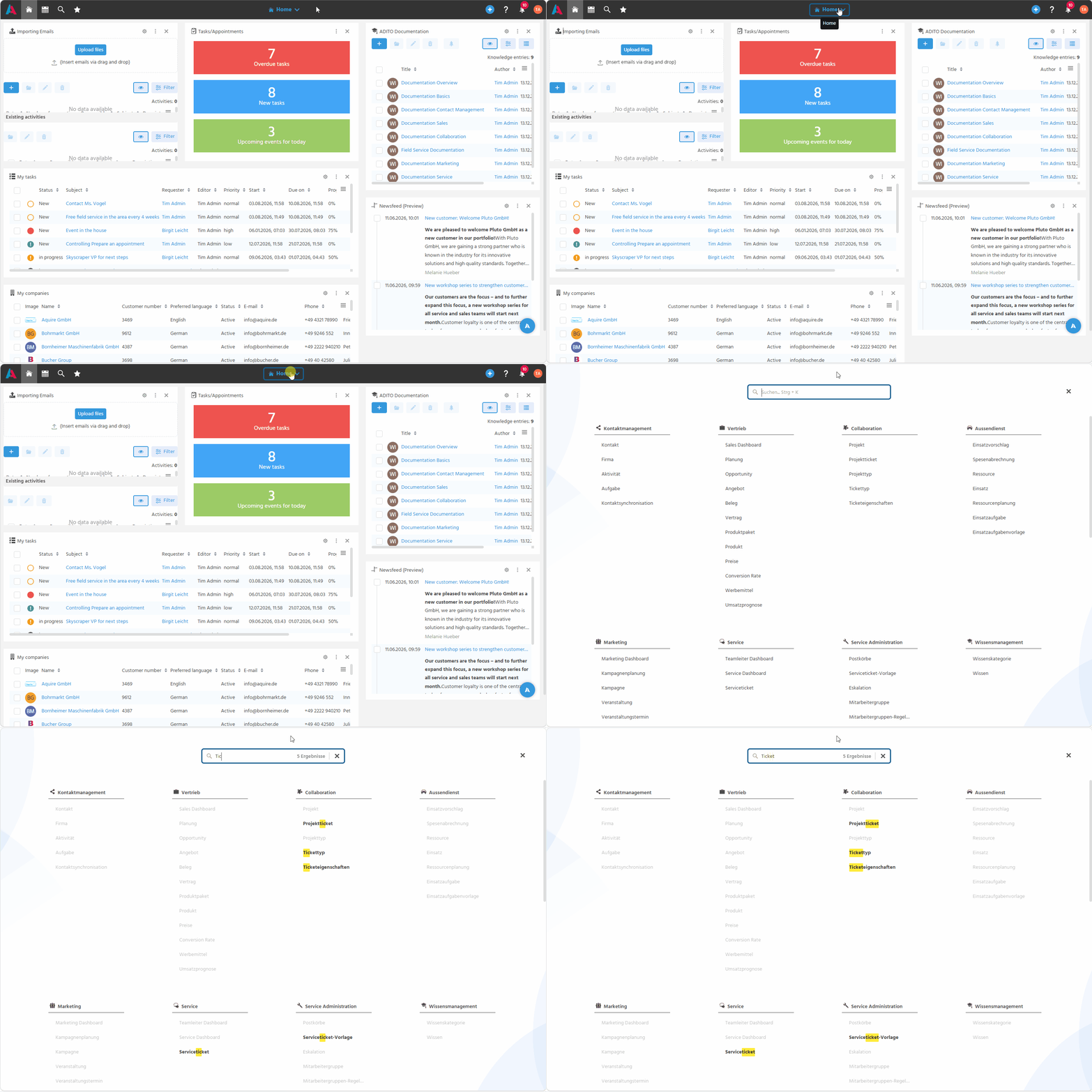 Figure: Filter contexts instantly while matching results are highlighted.
-
Instant Context Search
The search field is focused automatically when the Global Menu opens, allowing users to start searching immediately. Matching contexts are filtered live as text is entered. -
Clear and Accessible Search Results
Matching terms are highlighted, while non-matching entries are dimmed and disabled to prevent accidental selection. They are also removed from the keyboard tab order and ignored by screen readers, improving accessibility. -
Optimized Keyboard Navigation
The search field supports efficient keyboard workflows. The number of matching results is displayed, Escape clears the current search, and focus handling has been refined for a smooth navigation experience. -
Responsive Design
The search bar remains visible while scrolling within the menu and adapts seamlessly to smaller screen sizes.
For quick access, use Ctrl+K to open the Global Menu or focus the search field if it is already open. The shortcut is not available when the enableA11y accessibility mode is enabled in order to avoid conflicts and ensure maximum compatibility with screen reading technologies.