Tiles
Purpose
The Tiles ViewTemplate displays multiple datasets as visually structured tiles. It is suitable for overview pages in which records should be shown with more graphical emphasis than in a classic table.
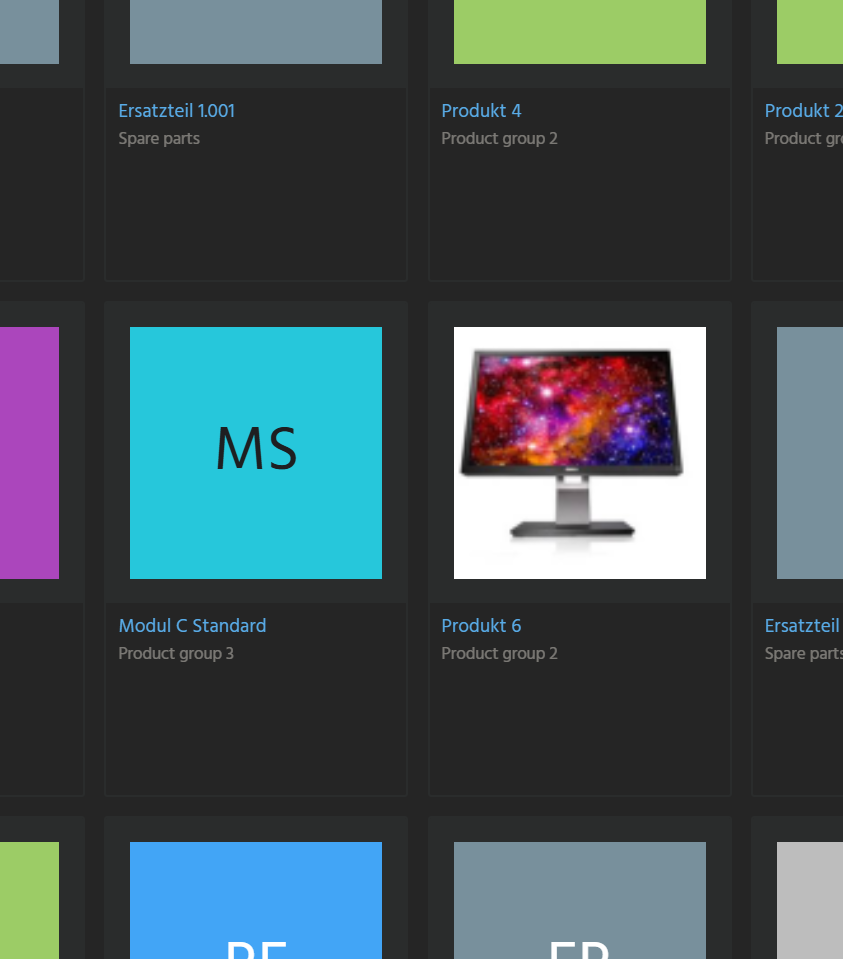 Figure: Tiles ViewTemplate displaying records as tiles.
Behavior
Each tile can contain the following fields:
iconFieldtitleFieldinfoTopFieldsubtitleFielddescriptionFieldinfoBottomField
The layout is controlled through tilePresentation:
LANDSCAPEplaces the icon on the left and the text on the rightPORTRAITplaces the icon above the text
If a configured field has no value, the corresponding section is not rendered.
Configuration
| Property | Description | Required |
|---|---|---|
iconField | Defines the image or icon. | No |
titleField | Defines the main title. | Yes |
infoTopField | Defines optional text above the subtitle. | No |
subtitleField | Defines optional secondary text. | No |
descriptionField | Defines descriptive text. | No |
infoBottomField | Defines additional text in the lower area. | No |
tilePresentation | Defines the tile layout as LANDSCAPE or PORTRAIT. | No |
Example usage
An example can be found in ProductFilter_view, where products are displayed as tiles with image and descriptive information.