November 2026

With November 2026, the ADITO AI Runtime introduces two new models: adito-llm-max for more demanding AI use cases and adito-llm-mini for simpler, cost-efficient tasks. Meanwhile, improvements to keyboard navigation, screen reader support, and visual accessibility make the Web Client easier to use for everyone.
Code autocompletion is now available across all xRM modules in the Designer, making development faster and more consistent. Further improvements bring enhanced tooltips and more consistent avatar displays across the Web Client.
More Powerful AI Models with adito-llm-max
The ADITO AI Runtime now supports models up to ten times larger than before, with adito-llm-max for more demanding AI use cases. With increased computing capacity, larger models can handle complex tasks more reliably while maintaining the same API integration and data sovereignty.
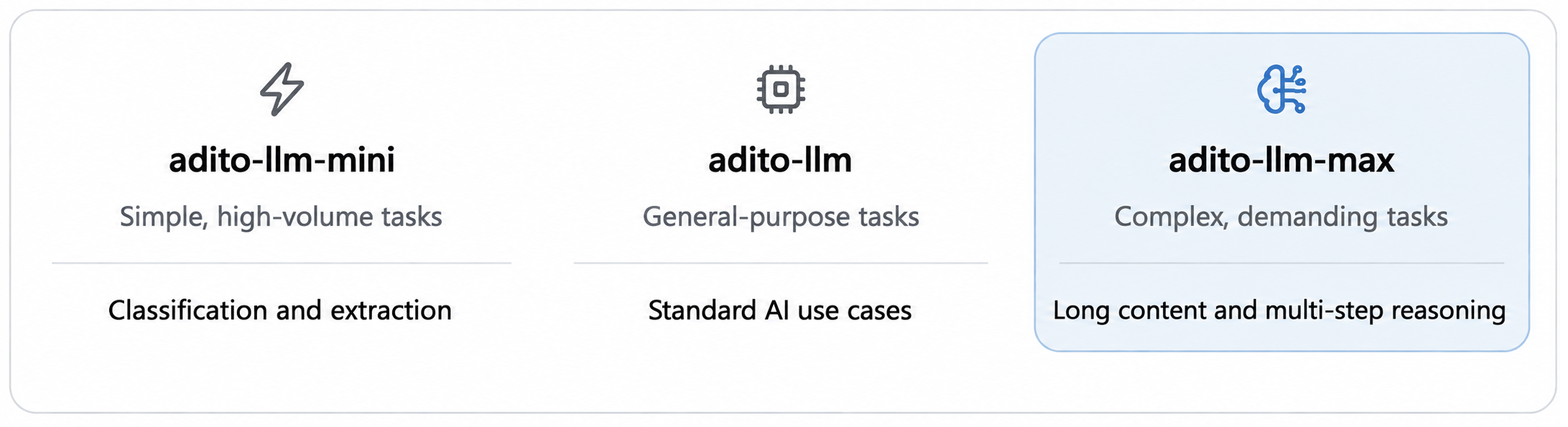 Figure: Choosing the right AI model for each use case
-
Better Handling of Complex Content
Larger models can process lengthy documents, email conversations, and complex CRM information while maintaining context across the input. -
Improved Reasoning and Task Execution
Multi-step tasks, tool interactions, and prompts with multiple requirements can be handled more reliably, reducing the need for retries and additional prompt engineering. -
Seamless Integration
adito-llm-maxis available through the existing OpenAI-compatible API without changes to endpoints or authentication. Models continue to run on ADITO's own infrastructure, and prompts are not used for training. -
Flexible Model Selection
The newadito-llm-miniprovides a more cost-efficient alternative for simpler tasks such as classification and information extraction. Both new models follow the existing model naming and versioning scheme.
For more information on the new models, see the blog post. For request parameters and code examples, refer to the Text Generation documentation.
Improved Accessibility Across the Web Client
2026.2.0 coreSeveral accessibility improvements make the Web Client easier to navigate and use with assistive technologies. These updates cover keyboard navigation, screen reader support, visual accessibility, and configuration options.
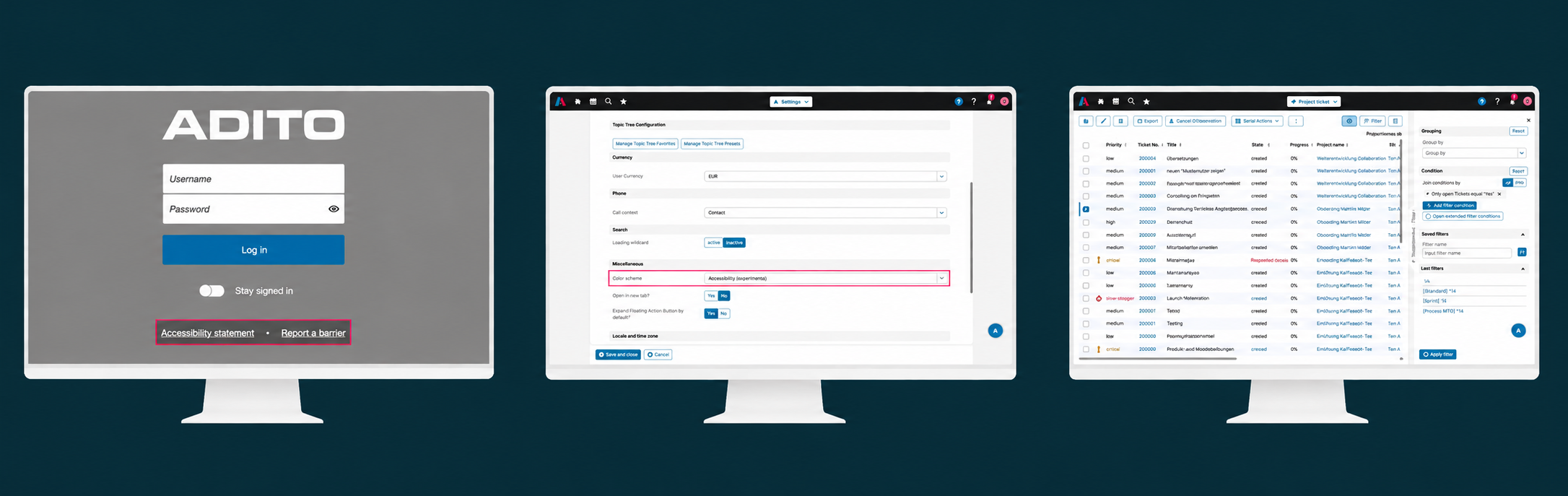 Figure: Login page with accessibility links, accessibility theme settings, and table view with filters.
-
Improved Keyboard Navigation
New skip links provide direct access to the main content and individual page panels. Focus is automatically moved into opened filters and panels. -
Enhanced Screen Reader Support
Buttons, filters, pagination controls, and dialogs provide clearer labels and announcements, making navigation with assistive technologies easier. -
Better Visual Accessibility
Improved contrast, more visible focus indicators, and support for Windows high-contrast settings make interface elements easier to distinguish. Layout adjustments also improve usability on smaller screens and at higher browser zoom levels. -
Consistent Accessibility Theme
The accessibility theme now also applies to login and logout pages, providing a consistent appearance throughout the Web Client. -
Configurable Links
Administrators can configure links to an accessibility statement and a page for reporting accessibility barriers in the new Accessibility section in Preferences. The propertiesaccessibilityStatementLocationandaccessibilityReportBarrierLocationaccept relative and absolute URLs. If no URL is configured, the corresponding link remains hidden. The configured links appear on the login page, logout page, and in the user settings popup.
These improvements are included in ADITO 2026.2.0 and require no additional configuration, except for the optional accessibility links.
Code Autocompletion Across All xRM Modules
2026.10.1 xrmCode autocompletion in the Designer is now fully available across all xRM modules. A standardized import structure ensures reliable suggestions for classes, functions, and types, making development faster and more consistent.
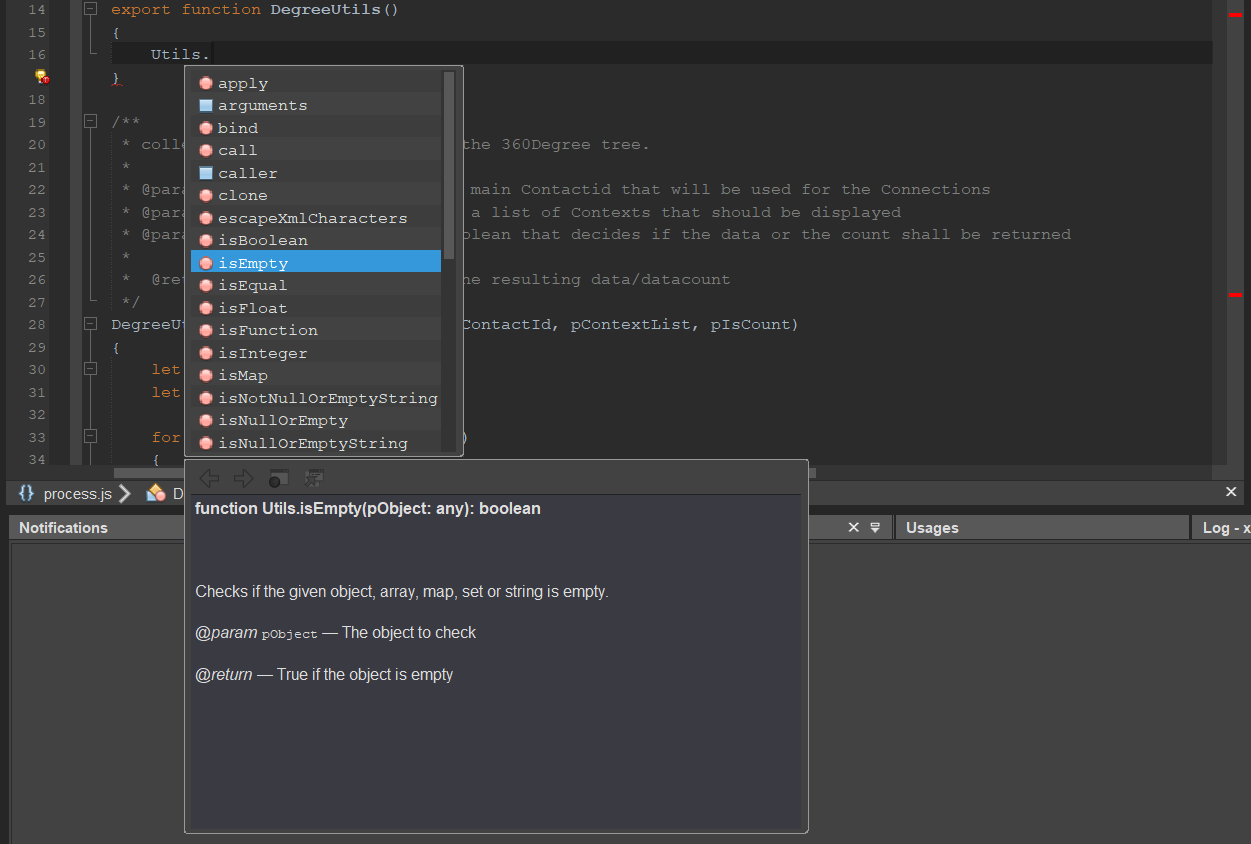 Figure: Intelligent code suggestions and function details in the Designer.
-
Faster Development
Classes, functions, and types are suggested directly while typing, reducing manual effort and making code easier to write. -
Consistent Code Structure
Standardized imports across all xRM modules improve code readability, maintainability, and collaboration between developers. -
Standardized Module Imports
The new import structure uses scoped paths such as@aditosoftware/<module>/<artifact>. Thexrm-toolscommandsgenerate-library-configandcreate-typesgenerate the necessary module exports, path mappings, and type declarations to support development in the Designer.
Existing imports are automatically updated when upgrading an xRM project to version 2026.10.1. For custom projects and modules, imports can optionally be migrated to the new structure using the migrate-imports command provided by xrm-tools. Existing imports remain supported, so manual migration is not required.
Further Improvements
- Basic Table: Image and avatar columns now display tooltips defined in the corresponding entity fields. These tooltips also serve as accessible labels for screen readers. 2026.2.0 Core
- Avatar Display: Avatar rendering has been standardized across the Web Client, including previews and tables. Entity field colors are now applied consistently to avatar backgrounds and symbols.2026.2.0 Core