Report
Purpose
The Report ViewTemplate integrates JasperReports into the ADITO client. It is used when structured output such as offers, invoices, customer sheets, or protocol documents should be generated from the current dataset and displayed in a dedicated report window.
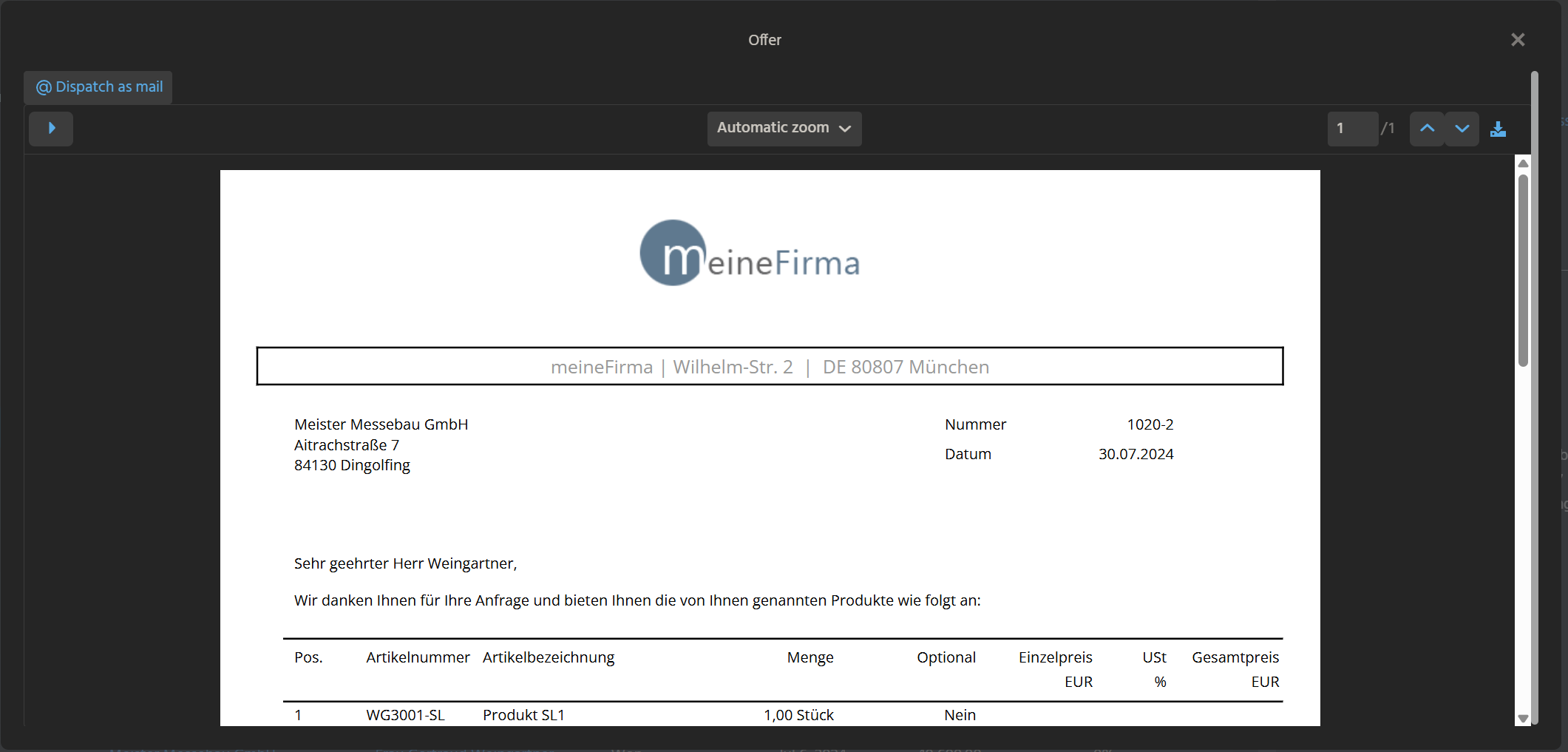 Figure: Report ViewTemplate displaying an offer report.
Behavior
The ViewTemplate renders report content that is prepared externally in a JasperReports design. The actual report payload is supplied through an EntityField.
Optional ActionGroups can be added to provide report-related operations such as dispatch or export.
Recommended usage pattern
In current ADITO projects, the usual flow is:
- Create a Jasper report design (
*_report). - Build the report payload in an EntityField via JDito.
- Bind that field to the
reportDataproperty of theReportViewTemplate. - Open the view through
neon.openContextWithRecipe(...).
This keeps report generation inside the normal ADITO view model and avoids the deprecated direct-opening API.
Configuration
| Property | Description |
|---|---|
entityField | Defines the source entity, often #ENTITY. |
reportData | Defines the EntityField that returns the rendered report payload. |
favoriteActionGroup1-3 | Optionally defines ActionGroups for report-related actions. |
In the offer example, reportData is provided by OFFER_REPORT_DATA in Offer_entity from module offer.
Example usage
An example is the ViewTemplate Report in OfferReport_view of Context Offer.
In the ADITO client, users can open the example under Sales > Offer by selecting a dataset and executing the Action showOffer. This opens a separate report window for the selected record.
The report data field usually returns the payload created by a reporting helper:
result.string(report.exportReport()[1]);
An action then opens the report view with neon.openContextWithRecipe(...) and passes any required recipe parameters.
import { neon, neonFilter, vars } from "@aditosoftware/jdito-types";

const recipe = neonFilter
  .createEntityRecordsRecipeBuilder()
  .parameters({
    OFFER_REPORT_DATA_param: true,
  })
  .uidsIncludelist([vars.get("$sys.uid")])
  .toString();

neon.openContextWithRecipe(
  "Offer",
  "OfferReport_view",
  recipe,
  neon.OPERATINGSTATE_VIEW,
  null,
  true
);
Performance
Report generation can be expensive, especially when the report uses subreports or larger datasets.
A good pattern is to generate the report only when the report view is actually opened:
- set a dedicated recipe parameter in the action,
- check that parameter in the report field's
valueProcess, - skip report creation if the view was not opened for reporting.
This prevents unnecessary work during normal context loading.
Implementation hints
- Keep data assembly logic in reusable JDito libraries.
- Keep the report field focused on orchestration and returning
report.exportReport()[1]. - Use subreports only when the document structure really needs multiple related datasets.
- If dispatch or export actions should be available in the report window, add them through an
ActionGroup, for exampledispatchOfferReport.
Related documentation
Notes
neon.openReport() is deprecated. For new implementations, prefer a dedicated report view with the Report ViewTemplate.