A New Menu is Coming

If you work with ADITO, you use the menu — every day, for everything. It has not changed much in years.
With release 2026.1.0, that changes. The old menu retires. The new one takes over.
This post explains what is new, what is gone, and how to try it before 2026.1.0 ships.
Try it now
You do not have to wait for 2026.1.0.
Starting with 2026.0.1, the new menu can be enabled using an expert parameter in the Instance Configuration:
clientExperimentalGlobalMenu
Enable it, restart, and the new menu is active. This is your chance to explore it early and give feedback before it becomes the default.
With 2026.1.0, this parameter is removed. The new menu is on for everyone, the old menu is gone.
What the new menu looks like
 Figure: The new ADITO navigation bar.
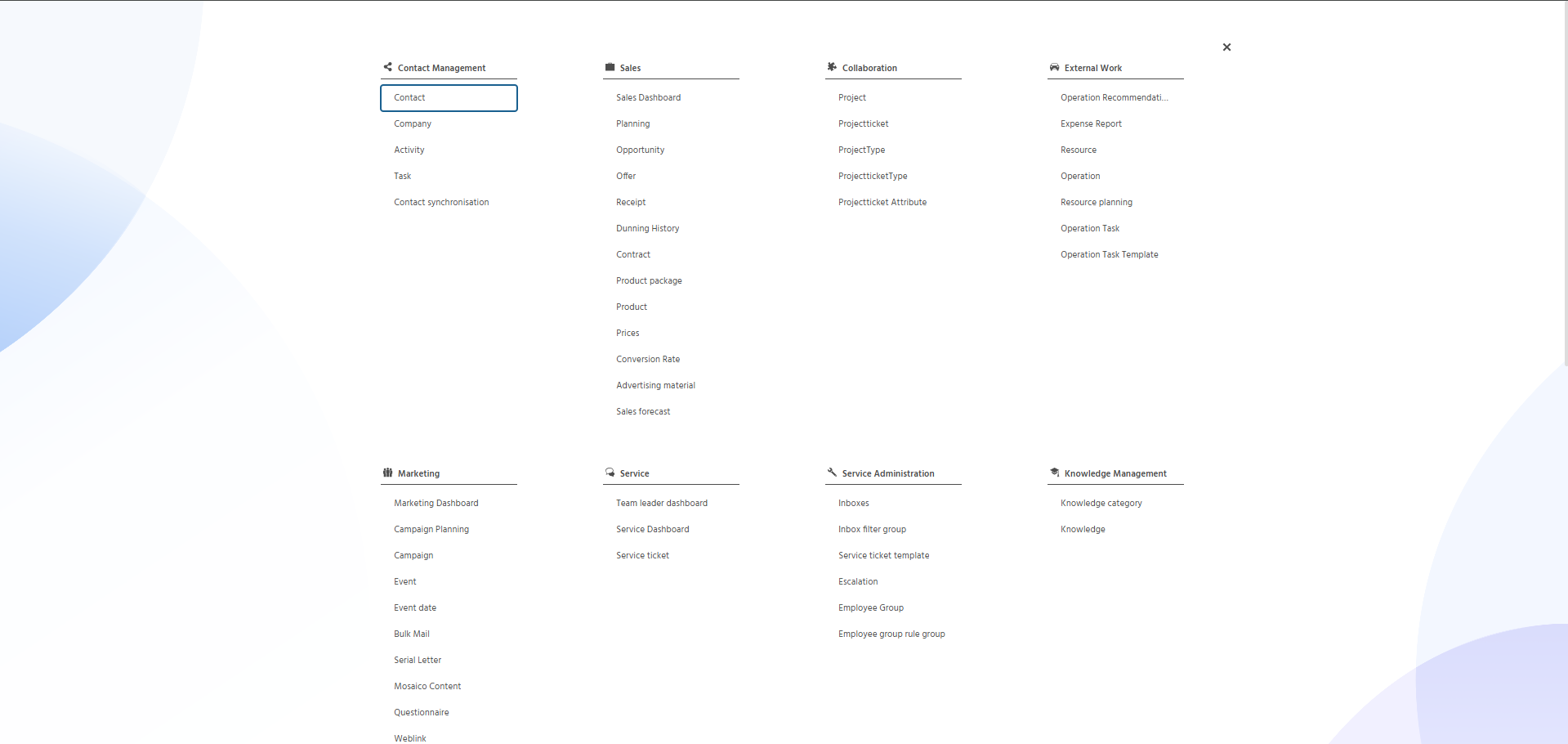 Figure: The new ADITO menu.
Why we rebuilt it
Years of feedback, finally addressed. We collected input from users and partners over the past years. This redesign is the result of that feedback, not a redesign for its own sake.
Fully accessible. The new menu meets accessibility standards. Every element is reachable, every action describable.
Keyboard-first navigation. You can now navigate the entire menu using only the keyboard. No mouse required.
A modern look. The visual design has been updated. The popup is noticeably larger, giving more room for content and a cleaner overall experience.
What changed
Side menu removed — ADITO logo takes its place. The side menu is gone. The feedback was clear: it was rarely used. The top-left corner now shows the ADITO logo as a placeholder. This is intentional groundwork for a future side menu that will give users far more control over their own layout. When that arrives, the side menu will be worth using.
Menu now opens fullscreen. The menu now opens as a fullscreen view. This gives the interface more usable space and makes better use of the available screen area.
History button removed. Same reasoning: it was seldom used. The navigation bar is leaner for it.
Notifications moved to the top right. This is another step towards the future side menu. Moving notifications now means the overall layout will stay coherent once the new side menu arrives.
Index search remembers your last results. The search popup now keeps the previous results visible. You can quickly switch between them without retyping — a small change that makes repeated searches noticeably faster.
Userhelp is now visible directly in the navigation bar.
The ? button has a fixed place in the navigation bar and is always in reach.
What works differently
Some behavior has changed compared to the old menu. If you are used to specific workflows, these are the things worth knowing.
Userhelp can now be hidden.
The old menu always showed the general Userhelp overview — there was no way to suppress it. In the new navigation bar, the ? button is optional. If Userhelp is not in use or should not be visible, configure the helpLocation property accordingly.
"Open in new tab" setting is no longer applied. The old menu respected a user-level setting to always open entries in a new tab. The new menu intentionally ignores this setting to stay closer to browser standards. Instead, users can use native browser behavior: middle-click or right-click → "Open in new tab" to decide per click how an entry should open.
Settings section is hidden without a Settings Context. Previously, when no Settings Context was configured, the menu still showed a Theme Picker in its place. The new menu takes a different approach: if the Settings Context is not present, the entire Settings section is hidden. There is no fallback UI. Theme selection is no longer available in the client in that case.
Give it a try
The new menu reflects years of input — and we want to keep it that way. Try it with 2026.0.1 and let us know what you think. We are also gradually enabling it across our internal systems, so you will start seeing it in the wild soon.
./Stefan