Decode ADITO URLs and Filter Fragments

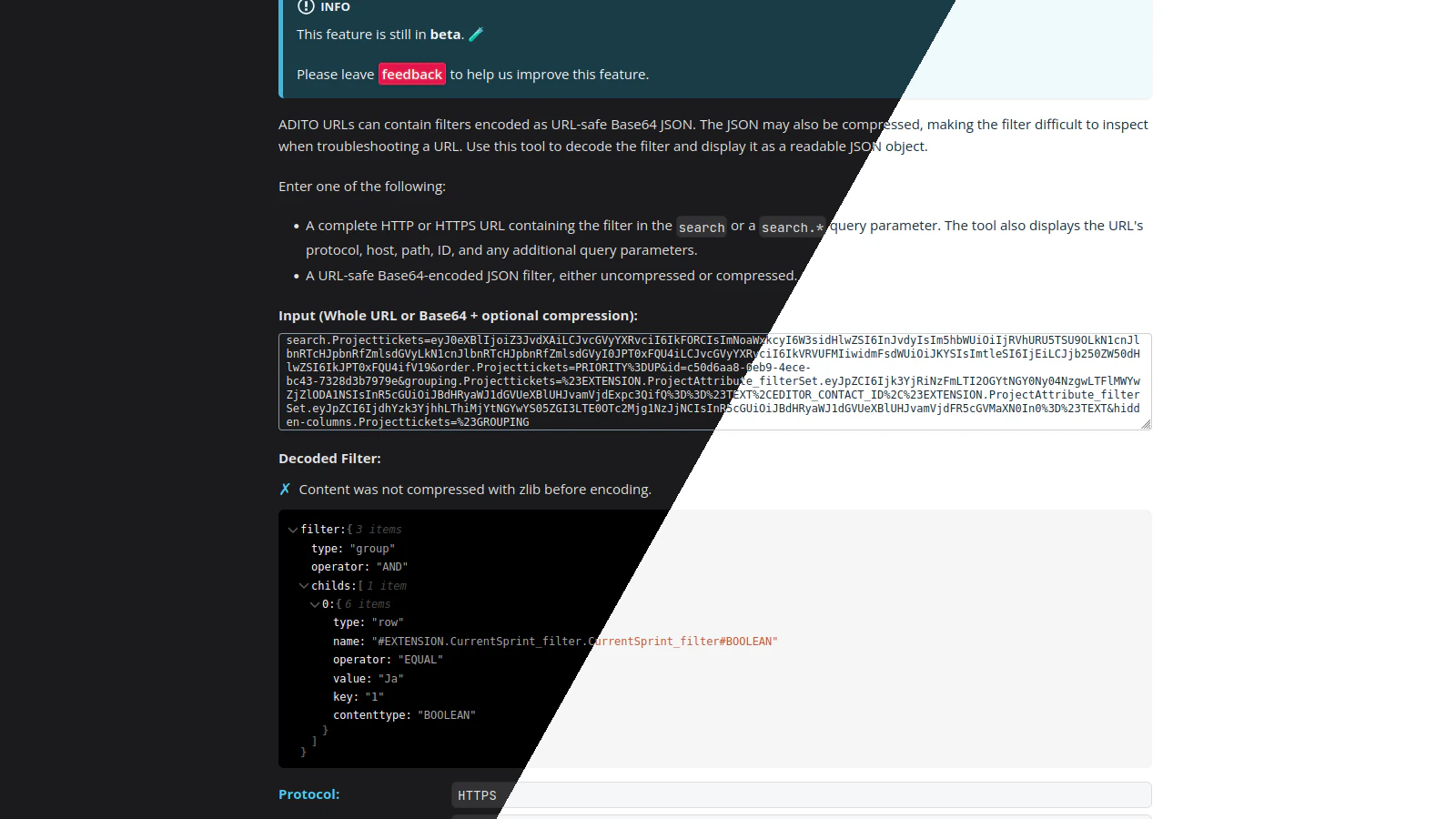
A new tool is now available in the Dev Tools section: the URL and Filter Decoder.
Use it to decode ADITO URLs and encoded filter fragments into readable JSON.
Meet the ADITO URL and Filter Decoder
ADITO URLs can contain filters encoded as URL-safe Base64 JSON. A filter may also be compressed to keep the URL compact, making its contents difficult to inspect.
The new decoder turns that encoded value back into readable JSON.
What it does
Paste either a complete ADITO URL or an encoded filter fragment. For a complete URL, the tool finds the filter in a search or search.* query parameter, decodes it, and automatically decompresses it when necessary.
Alongside the decoded filter, the tool displays useful parts of the URL, including its protocol, host, path, ID, and additional query parameters. It also indicates whether the filter was compressed with zlib before encoding.
When this is useful
An encoded filter is easy for ADITO to process but difficult for a person to read. This tool is useful when a URL appears in a support ticket, log entry, or message and you need to understand which filter it contains.
Instead of decoding Base64, checking for compression, and formatting the JSON by hand, paste the URL into the tool and inspect the result directly. This makes it easier to troubleshoot unexpected search results or compare filters from different URLs.
The URL and Filter Decoder is still in beta. If you try it, please use the feedback link on the tool page to let us know what works well and what could be improved.
./Johannes