Spell Checker
ADITO supports spell checking in rich-text fields. This page describes the available mechanisms, licensing requirements, configuration, and relevant constraints.
Available mechanisms
Browser-native spell checking
Browsers apply spell checking to editable content areas by default. The HTML editor uses a contenteditable element internally, so this behavior applies automatically without any additional configuration.
The availability and control of spell checking depends entirely on the browser:
- Safari: spell checking can be toggled via the right-click context menu.
- Edge and Chrome: spell checking is always active; no in-editor toggle is available.
This behavior cannot be configured or controlled from the ADITO platform side.
WProofreader
WProofreader is a server-assisted spell-checking service provided by WebSpellChecker. It integrates directly into the HTML editor and underlines misspelled words in real time.
ADITO includes the WProofreader plugin. Activating it requires a valid WebSpellChecker license and configuration via the System Configuration.
Licensing and costs
WProofreader is a third-party commercial product. A license from WebSpellChecker is required to use it. ADITO does not include this license.
Costs depend on the WebSpellChecker pricing model (number of users, deployment type, language packs). Contact WebSpellChecker directly for current pricing.
A valid license is required to use WProofreader. Without a valid serviceId, the service will not function.
If spellcheckerEnabled is active but ckeditorConfig is not configured with valid service credentials, the HTML editor will not be displayed. Make sure all required parameters are set and the service credentials are valid before enabling the spell checker.
Configuration
WProofreader is configured in the System Configuration under the Spellchecking section.
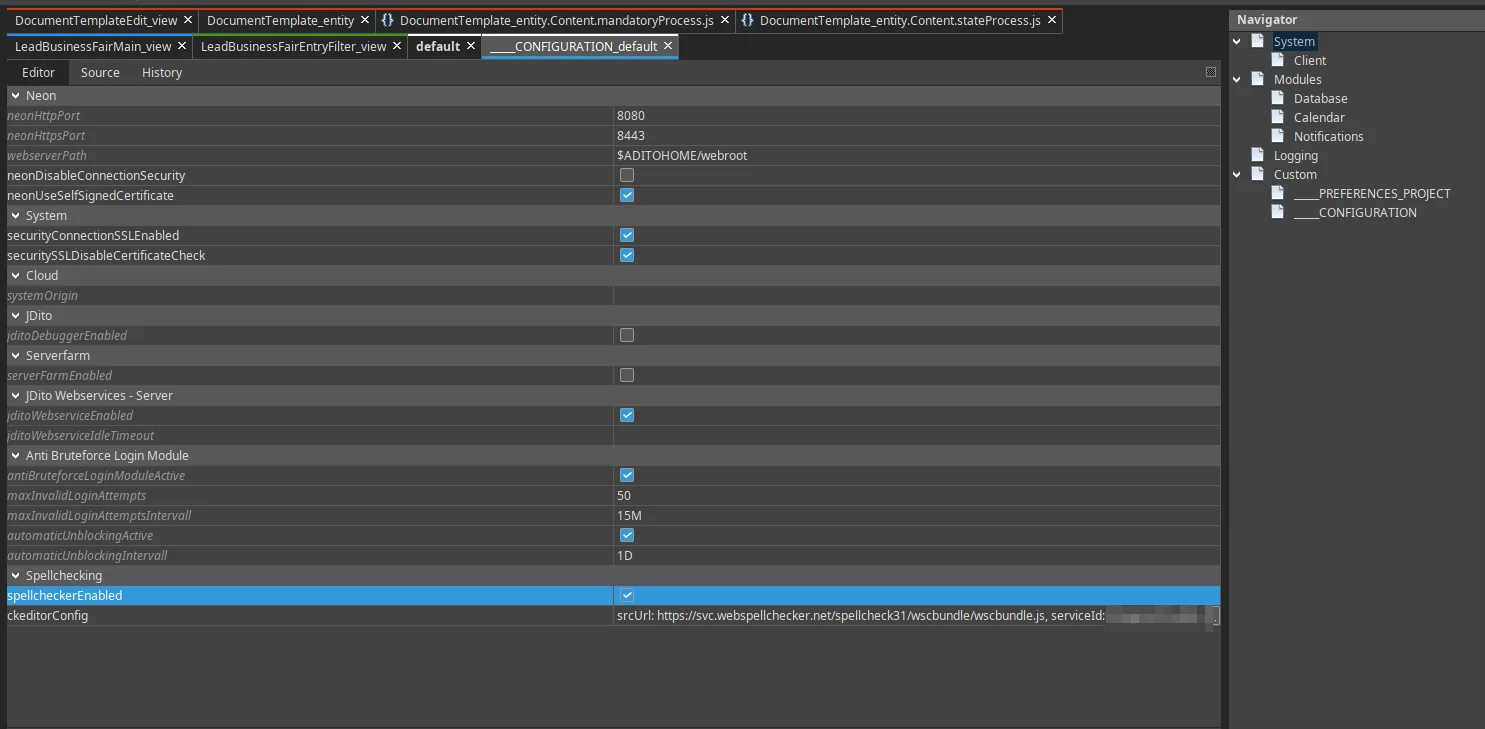 Figure: Spellchecking section in System Configuration
| Property | Description |
|---|---|
spellcheckerEnabled | Enables or disables WProofreader globally. |
ckeditorConfig | Configuration parameters passed to the WProofreader plugin. |
The ckeditorConfig property opens a key-value editor where the following parameters can be set:
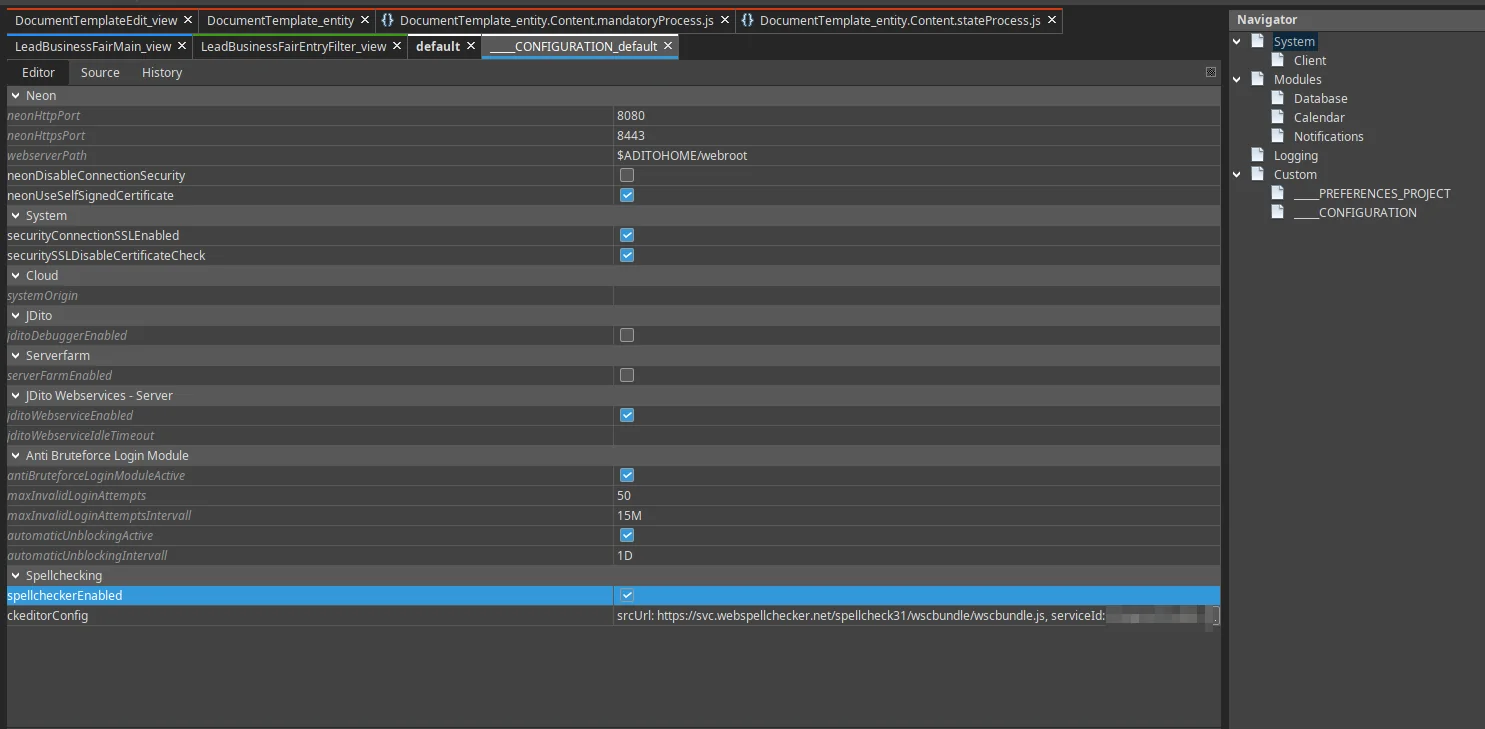 Figure: Configuration dialog for WProofreader parameters
Cloud deployment
| Parameter | Description |
|---|---|
srcUrl | URL to the WProofreader script provided by WebSpellChecker |
serviceId | License ID issued by WebSpellChecker (required for cloud activation) |
lang | Default spell-check language (e.g. en_US, de_DE). Falls back to the browser language if not set. |
The exact values depend on your WebSpellChecker subscription. Use the values provided by WebSpellChecker for your account.
Self-hosted deployment
| Parameter | Description |
|---|---|
srcUrl | URL to the WProofreader script on your own server |
serviceHost | Hostname or IP address of the WProofreader server |
servicePath | Backend entry point on the server (default: wscservice) |
servicePort | Port of the service |
serviceProtocol | Protocol (http or https) |
lang | Default spell-check language (e.g. en_US, de_DE). Falls back to the browser language if not set. |
Deployment and data privacy
When WProofreader is used, the text entered by the user is sent to the WebSpellChecker service for analysis. This has the following implications:
- Data leaves the ADITO instance. Text content from HTML fields is transmitted to an external service.
- Self-hosted option available. WebSpellChecker offers an on-premise deployment option, which keeps all text processing within the customer's own infrastructure. This option has separate licensing requirements.
- Data processing agreement. If personal or business-sensitive data is entered in HTML fields, a data processing agreement with WebSpellChecker may be required under applicable data protection regulations (e.g., GDPR).
Supported languages
The set of supported languages depends on the WebSpellChecker license and the selected language pack. WebSpellChecker supports a wide range of languages; refer to the WebSpellChecker language documentation for the current list.
Browser-native spell checking supports whatever languages the user's operating system and browser have installed.