Workflow definitions in the client
Open Workflowdefinition from the Administration group in the global context search. This context is the central place to create, open, and administer workflow definitions in an ADITO system.
Filter view
The filter view lists workflow definitions and provides the following actions.
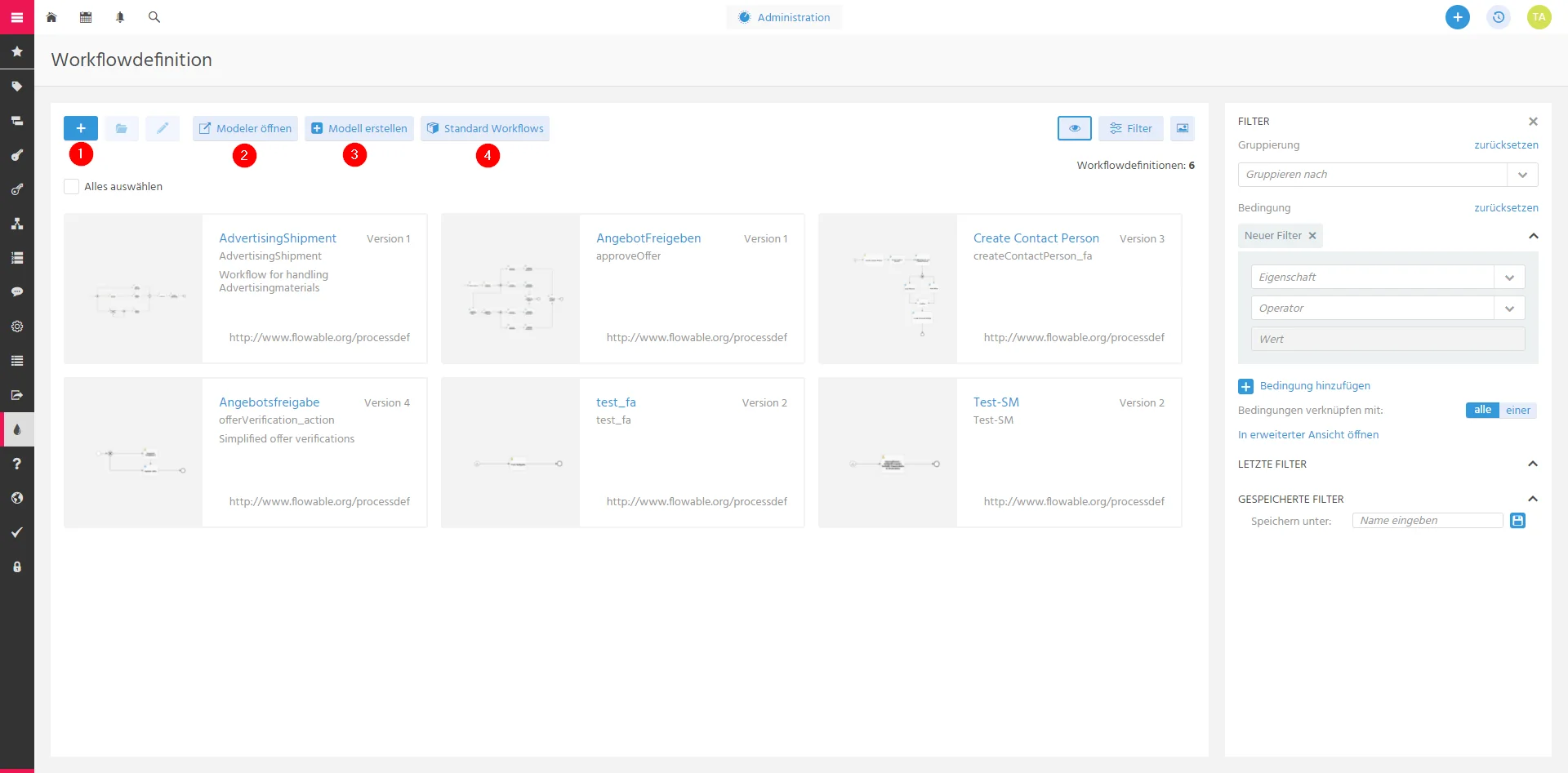 Figure: Actions available in the workflow-definition filter view.
| Action | Description |
|---|---|
| Import workflow | Adds a workflow definition from an XML file. |
| Open Flowable Modeler | Opens Flowable Modeler for the selected workflow definition. |
| Create workflow | Creates a workflow definition and opens it in Flowable Modeler. |
| Select standard workflow | Adds a standard ADITO workflow definition without customization. |
Main view
When you open a workflow definition, the main view shows its preview and active workflow instances. Use the tabs to view the diagram or earlier versions of the workflow definition.
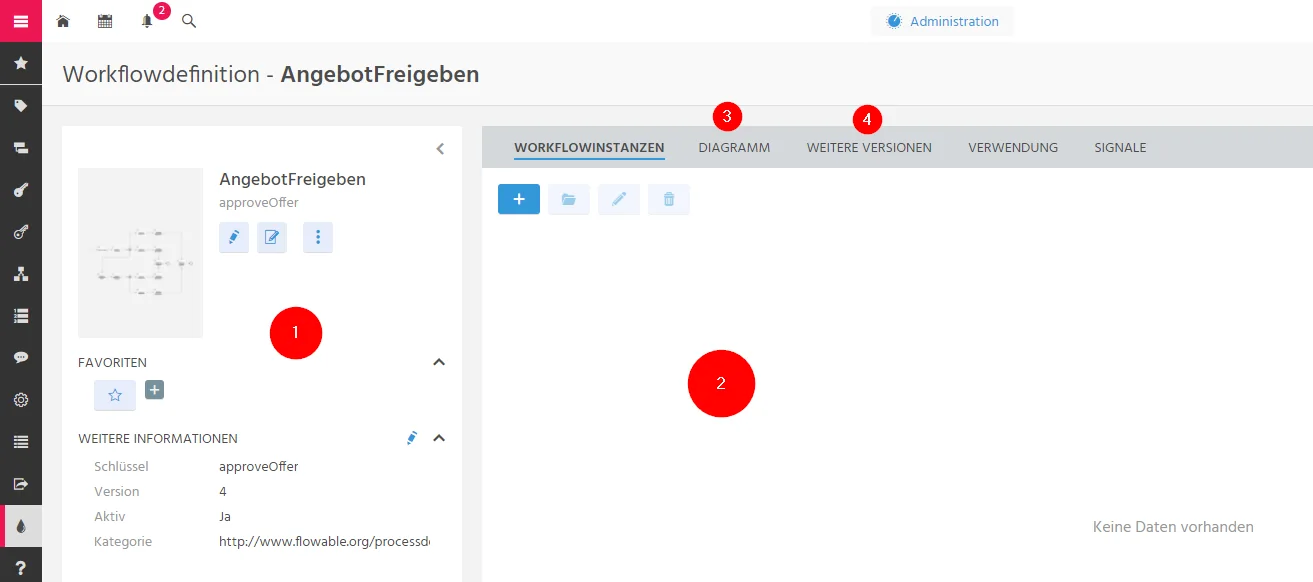 Figure: Main view of a workflow definition, including its instances, diagram, and versions.
Usage view
The Usage view defines the contexts in which a workflow can be started with the Start Workflow action. Select the edit icon, then choose the module in which the workflow should be available.
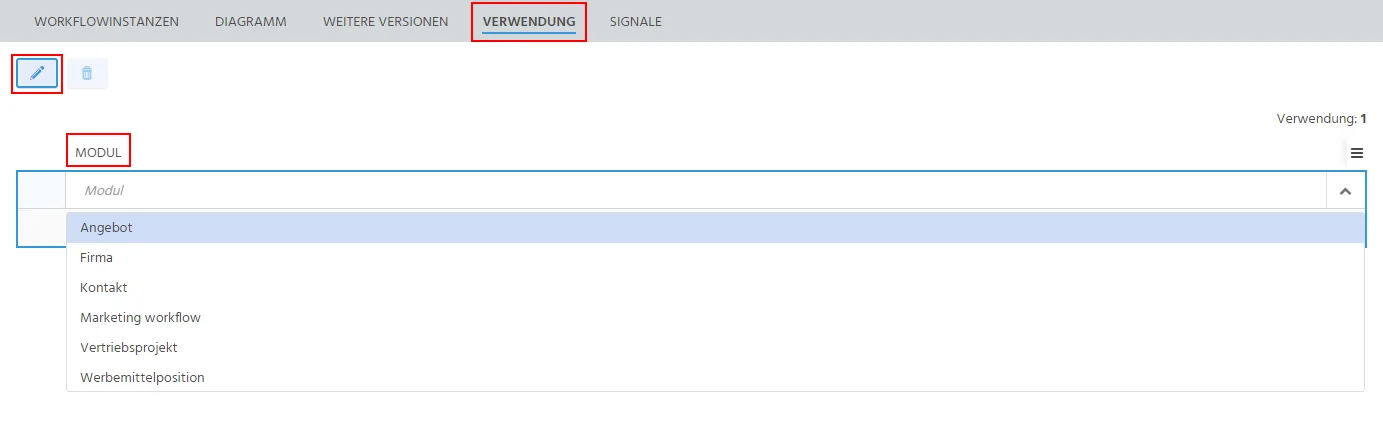 Figure: Usage view for making a workflow available in a module.
Signals view
For a workflow with signal start events, define the corresponding trigger in ADITO. Add a signal, select the workflow signal and its trigger, then optionally limit it to a context or condition.
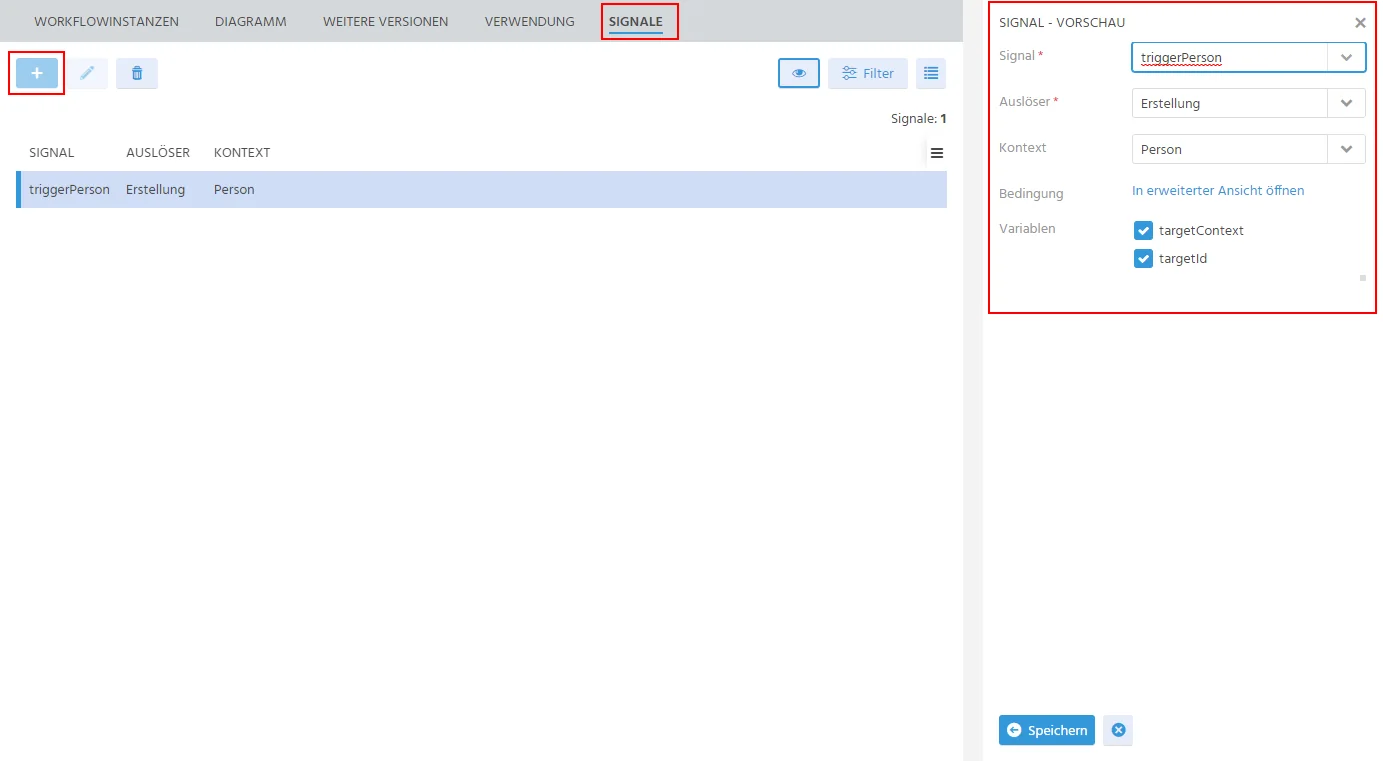 Figure: Signal view for configuring a workflow signal trigger.
Do not change workflow-provided variables. Overwriting them can cause workflow execution problems.
Next steps
See the technical workflow reference for modelling guidance and Flowable Service configuration.