Context filter (content search)
Several ViewTemplates provide the option to display a Context filter. Its visual expression is the horizontal content search bar that is shown in the upper part of the ViewTemplate.
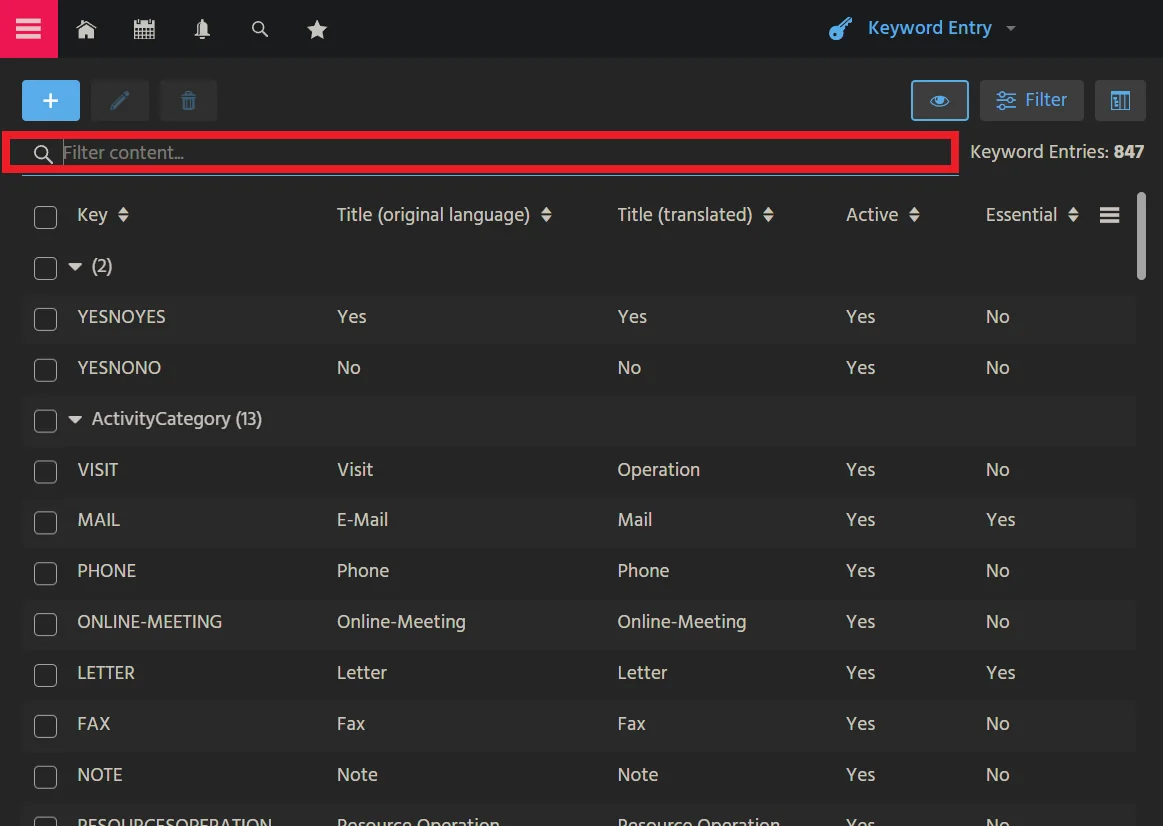 Figure: The Context filter of Context
 KeywordEntry.
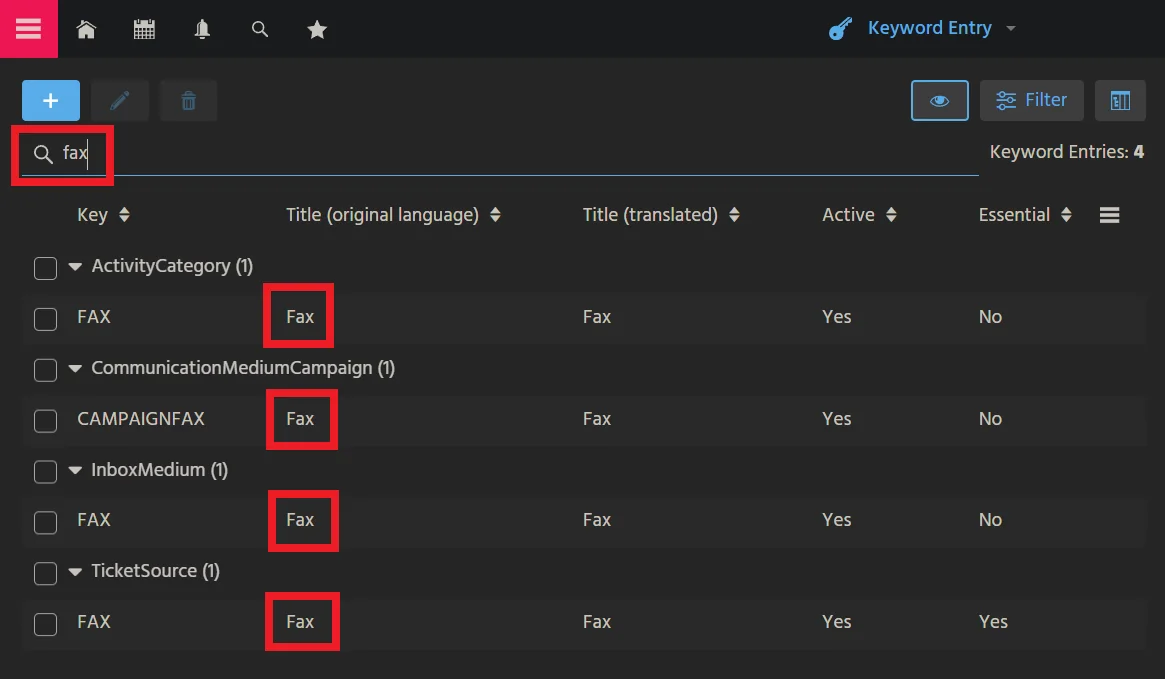 Figure: Filter criteria
 fax.
Via the Context filter, users can enter filter terms that are processed in different ways, depending on the ViewTemplate type and specific settings.
The content search does not treat raw wildcard characters such as *, ?,
%, or _ as placeholders. If a use case requires prefix, suffix, or
contains behavior, model that explicitly in the technical filter logic instead
of embedding wildcard characters in the entered string.
Availability
Specific ViewTemplate types can show and process a Context filter if their
property hideContentSearch is set to false and the corresponding
RecordFieldMappings' property isLookupFilter is set to true.
The following ViewTemplate types support the Context filter:
BreadCrumbTreeTableCardTableDynamicMultiDataChartDynamicSingleDataChartMultiEditTableResourceTimelineTableTilesTimelineTreeTreeTable
BreadCrumbTreeTable is not yet available via Add View Template..., but it
is automatically used on mobile and tablet devices if a Tree or TreeTable
type is used and property useBreadCrumbs is set to true.
Usage in DefaultLookup_view
This filter and search feature is also available in the ADITO xRM project's
View DefaultLookup_view of Context Default_context, which has a
ViewTemplate of type List. You can configure the lookup component that is used
if no specific lookupView is set in a Context.
Because the ListViewTemplate is not yet available via Add View Template...,
it must be configured in the source code of DefaultLookup_view:
<?xml version="1.0" encoding="UTF-8"?>
<neonView xmlns="http://www.adito.de/2018/ao/Model" xmlns:xsi="http://www.w3.org/2001/XMLSchema-instance" VERSION="1.2.3" xsi:schemaLocation="http://www.adito.de/2018/ao/Model adito://models/xsd/neonView/1.2.3">
  <name>DefaultLookup_view</name>
  <majorModelMode>DISTRIBUTED</majorModelMode>
  <layout>
    <noneLayout />
  </layout>
  <children>
    <listViewTemplate>
      <name>DefaultList</name>
      <entityField>#ENTITY</entityField>
    </listViewTemplate>
  </children>
</neonView>
Evaluation
The terms entered in the Context filter are evaluated by different instances, depending on the ViewTemplate type and the RecordContainer property settings.
The ViewTemplate component performs the filtering if the RecordContainer
properties isPageable and isRequireContainerFiltering are both set to
false:
ResourceTimelinechecks whether at least one string of the filter value is included in the title.BreadCrumbTreeTable,Tiles,Tree, andTreeTablecheck whether the columns of a row include all filter terms.DynamicMultiDataChartandDynamicSingleDataChartdo not perform filtering.
The RecordContainer performs the filtering if property
isRequireContainerFiltering is set to true. The filter checks whether the
columns of a row include all filter terms. If an additional filter is set in the
FilterView's filter component, ADITO constructs a combined filter with a
logical AND.
JDitoRecordContainer, IndexRecordContainer, and DBRecordContainer set the
filter and reload the data. DatalessRecordContainer and missing
RecordContainers do not perform filtering.